
Download WinRAR Beta x64 – Free File Compression & Archive Tool for Windows
WinRAR Beta x64 is a powerful, trial version software utility designed for Windows users who need reliable file compression and archiving capabilities. Developed by Alexander Roshal, this tool is a go-to solution for managing large files, reducing storage space, and sharing data across platforms. With support for multiple archive formats including RAR, ZIP, 7Z, and more, WinRAR Beta x64 ensures seamless handling of compressed files.
The software is available in several languages, including English and Portuguese (Br), making it accessible to a global audience. Although the latest version, 5.20, was released back in 2014, the beta version remains a stable and efficient option for users still relying on older Windows systems like XP and earlier. Despite its age, WinRAR Beta x64 continues to be widely used, with over 81,000 downloads since 2012 and consistent usage in countries such as India, the United States, and Egypt.
Its lightweight design ensures minimal impact on system resources, making it ideal for low-end machines. Whether you're compressing documents, backing up data, or transferring files via email, WinRAR Beta x64 delivers dependable performance. For those seeking a secure, free, and easy-to-use file compression tool, this beta release remains a solid choice.
Key Features of WinRAR Beta x64
WinRAR Beta x64 stands out in the crowded file compression market thanks to its rich set of features tailored for both casual users and advanced professionals. One of its most notable capabilities is support for multiple archive formats, including RAR, ZIP, 7Z, TAR, GZIP, and more. This versatility ensures compatibility with a wide range of file types across different platforms.
The software also offers strong encryption options, including AES-256, which provides military-grade security for sensitive data. Users can password-protect archives, ensuring that only authorized individuals can access the contents. Another powerful feature is the ability to split large archives into smaller, manageable parts—ideal for uploading files to services with size limits or transferring data via email.
WinRAR Beta x64 also includes a built-in file recovery tool that can repair damaged archives, a feature especially useful when dealing with corrupted downloads or incomplete transfers. The intuitive interface allows users to drag and drop files directly into the application, making compression and extraction a breeze. Additionally, the software supports self-extracting archives (SFX), enabling recipients without WinRAR to open files without installing additional software.
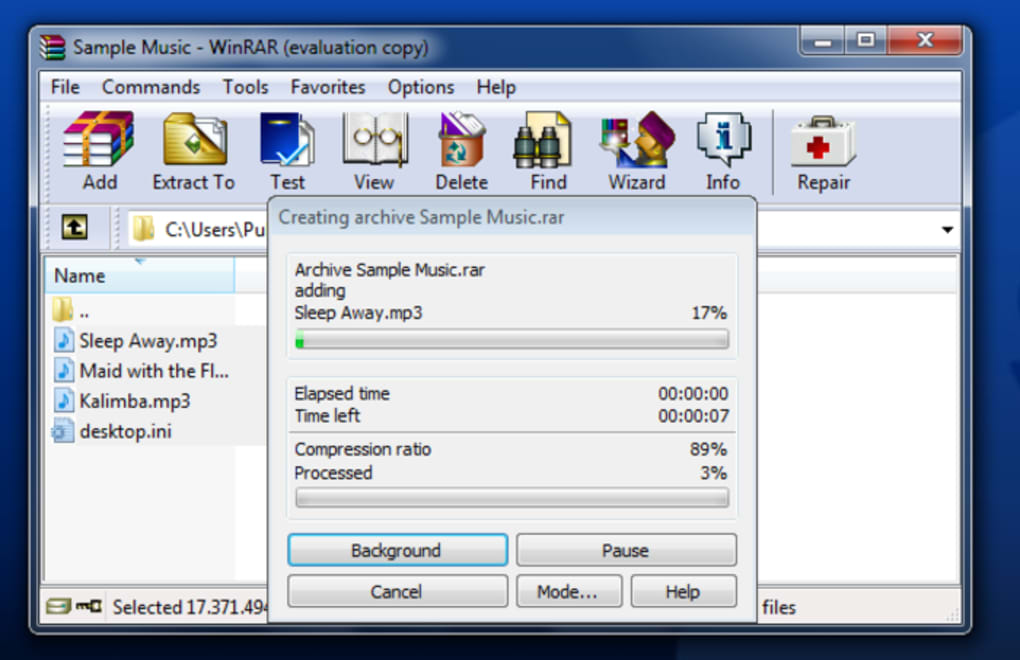
For power users, command-line support offers automation possibilities, allowing batch processing and integration into scripts. The tool also provides detailed logging and status updates during compression and extraction, enhancing transparency and control. All these features are packed into a lightweight application that uses minimal system resources, making it perfect for older systems.
Whether you're a student, freelancer, or IT professional, WinRAR Beta x64 delivers robust functionality without compromising speed or stability.
Installation & Usage Guide for WinRAR Beta x64
Installing WinRAR Beta x64 is a straightforward process, even for users with limited technical knowledge. Begin by downloading the trial version from a trusted source. Ensure you’re selecting the correct x64 (64-bit) version for your system. Once downloaded, locate the installer file (typically named WinRAR-x64.exe) and double-click to launch it. The installation wizard will guide you through the setup with minimal steps—just click “Next,” accept the license agreement, choose your installation directory (default is recommended), and click “Install.”
After installation, WinRAR integrates seamlessly with your Windows Explorer context menu. Right-click any file or folder, and you’ll see new options like “Add to archive,” “Extract here,” and “Extract to…” This integration makes daily use incredibly convenient. To compress files, simply select them, right-click, choose “Add to archive,” and configure settings such as archive format (RAR or ZIP), compression level (Normal, Maximum, or Store), and password protection if needed. For extraction, right-click a compressed file and choose the appropriate extraction option. The software supports both single-file and multi-volume archives, and you can easily manage large collections without performance issues.
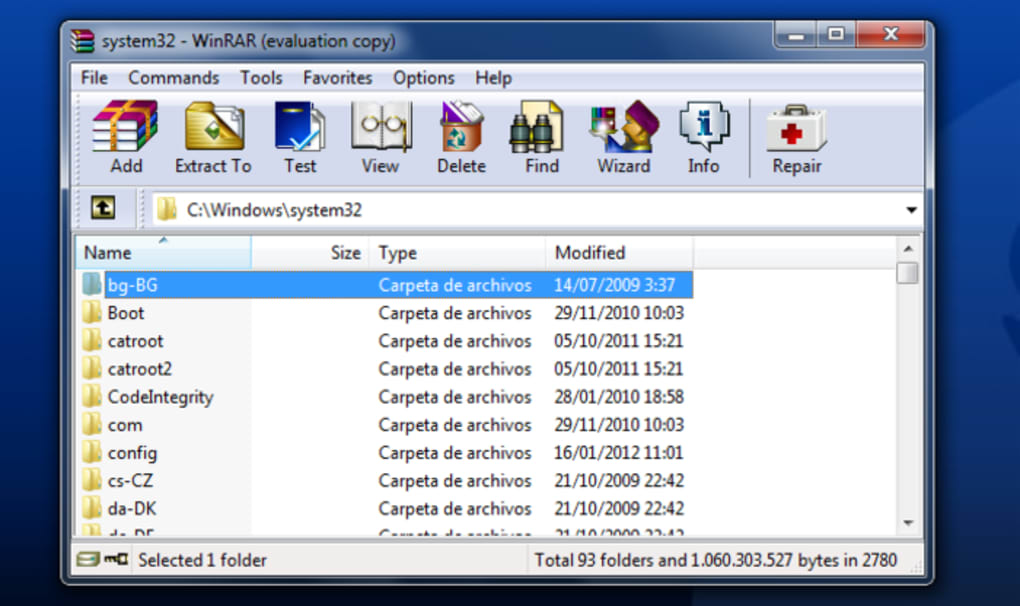
For advanced users, WinRAR offers a built-in file manager accessible from the main interface. This allows you to browse, preview, and extract files without leaving the application. The “Tools” menu includes options like “Repair archive” and “Convert archive,” adding extra functionality.
Regular updates are recommended to maintain security and performance, though the beta version has not seen updates since 2014. Still, its stability and proven track record make it a reliable choice. Always ensure your antivirus software scans the downloaded file before installation to guarantee a secure experience.
With its user-friendly design and powerful tools, WinRAR Beta x64 is a must-have for anyone managing digital files.
Compatibility & System Requirements
WinRAR Beta x64 is specifically designed for 64-bit Windows systems and is compatible with older operating systems such as Windows XP, Windows Vista, and Windows 7. This makes it a valuable tool for users still running legacy systems that may not support newer software versions. The application is optimized for x64 architecture, ensuring efficient performance and better memory handling compared to 32-bit counterparts. While it does not support modern platforms like Windows 10 or 11 officially, many users continue to run it successfully on these systems using compatibility modes.
System requirements are modest, making WinRAR Beta x64 accessible even on low-end machines. It requires at least 10 MB of free disk space and 128 MB of RAM, with a minimum screen resolution of 800x600. The software runs smoothly on systems with Intel or AMD processors, including older models.
For users on Mac or Linux, there is no native version available, but alternatives like PeaZip or 7-Zip can offer similar functionality. Android and iOS users can explore mobile apps such as RAR for Android or iZip, though these are not direct replacements. Despite its age, the software remains lightweight and efficient, consuming minimal CPU and RAM during operation.
Its ability to run on older systems without lag or crashes is a testament to its well-optimized codebase.
For those concerned about security, it’s important to note that while the software itself is trusted and widely used, the lack of recent updates may pose risks. Always download from official or reputable sources to avoid malware-infected versions. The software is available in multiple languages, including English and Portuguese (Br), enhancing usability for international users. Whether you’re using a decade-old laptop or a modern desktop, WinRAR Beta x64 can be a reliable companion for file compression and archiving tasks.
Pros & Cons of WinRAR Beta x64
- Pros:
- Supports multiple archive formats (RAR, ZIP, 7Z, TAR, GZIP)
- Strong AES-256 encryption for secure file protection
- Lightweight and efficient, ideal for older systems
- Intuitive right-click integration with Windows Explorer
- Ability to split archives into smaller parts for easy sharing
- Self-extracting archive creation for recipient convenience
- File recovery feature for damaged archives
- Free to download and use (trial version)
- Cons:
- No official updates since 2014; potential security vulnerabilities
- Not compatible with Windows 10/11 without compatibility mode
- Limited support for modern file systems and cloud integration
- No native versions for Mac, Linux, Android, or iOS
- Interface feels outdated compared to modern alternatives
Frequently Asked Questions (FAQ)
-
Is WinRAR Beta x64 free to download?
Yes, WinRAR Beta x64 is available as a free trial version. You can download and use it without cost, though full features may require a license for continued use beyond the trial period.
-
Can I use WinRAR Beta x64 on Windows 10 or 11?
While not officially supported, many users successfully run WinRAR Beta x64 on Windows 10 and 11 by enabling compatibility mode. However, it’s recommended to use the latest official version for better security and performance.
-
Does WinRAR Beta x64 support password protection?
Yes, WinRAR Beta x64 allows users to set strong passwords with AES-256 encryption, ensuring that only authorized users can access the contents of compressed files.
-
How do I extract files using WinRAR Beta x64?
Right-click on the compressed file (RAR or ZIP), select “Extract to” or “Extract here,” and choose the destination folder. The software handles the extraction process automatically.
-
Can I split large archives into smaller parts?
Yes, WinRAR Beta x64 allows you to split archives into smaller volumes, which is useful for email attachments or uploading to platforms with file size limits.
Final Verdict & Call to Action
Despite its age, WinRAR Beta x64 remains a dependable file compression tool for users on older Windows systems. Its lightweight design, strong encryption, and broad format support make it a valuable asset for managing digital files. While the lack of recent updates raises security concerns, the software’s stability and widespread trust continue to attract users worldwide. If you're running Windows XP, Vista, or 7 and need a secure, free, and efficient compression tool, WinRAR Beta x64 is still worth considering. However, for modern systems, it’s advisable to upgrade to the latest official version of WinRAR or explore alternatives like 7-Zip or PeaZip.
Download WinRAR Beta x64 today and simplify your file management with a trusted, secure, and powerful archive tool.







